
Virtual Mental Health Treatment Technology Requirements in Tennessee
Virtual mental health treatment in Tennessee depends on reliable technology that allows care to continue without in-person visits. Access to a stable internet connection, secure platforms, and compatible devices shapes how services are delivered statewide. Freeman Recovery Online brings these requirements together, making remote treatment accessible and consistent across Tennessee.
Freeman Recovery Online provides online treatment focused on substance abuse, mental health conditions, and dual-diagnosis needs. Care is delivered through secure e-therapy platforms that work on smartphones, tablets, and computers, allowing treatment to fit into your daily life without added travel. Clear audio, video, and data connections allow you to maintain continuity and privacy throughout care. Call us today to schedule a free assessment and get answers to your questions about technology needs or program options.
Virtual Mental Health Treatment Technology Requirements Checklist
Virtual mental healthcare relies on reliable technology that maintains consistent, secure treatment. Understanding the basic requirements allows you to access sessions smoothly and avoid disruptions during appointments. This telehealth equipment checklist outlines the core technology requirements for virtual mental health treatment, giving you a clear picture of what supports effective participation.
- Device: A smartphone, tablet, laptop, or desktop computer supports digital therapy sessions and allows you to access treatment tools and materials.
- Camera and Microphone: Working video and audio features let providers see and hear you clearly during scheduled internet video conferencing therapy sessions.
- Internet Connection: Stable broadband supports video calls, file sharing, and real-time communication without frequent interruptions.
- Private Space: A quiet, private space for online therapy helps you keep your conversations focused and protects your personal information.
- Updated Browser or App: Current software versions improve security, compatibility, and overall session quality.
Technology requirements may vary slightly depending on the care platform used. If anything is unclear, Freeman Recovery Online can clarify expectations. Contact us for additional details and assistance.
Device and Operating System Basics for Online Rehab Programs
Device and Operating System Basics for Online Rehab Programs
Online rehab programs rely on dependable devices and current software to keep remote psychotherapy sessions running smoothly. Choosing the right equipment and keeping it up to date reduces interruptions and technical issues. Clear expectations around devices and operating systems make web-based mental health support easier to access and more consistent over time.
- Laptop or Desktop Computer: A computer is the best device for teletherapy because it offers the most stable experience, with larger screens and stronger processing.
- Tablet or Smartphone: Mobile devices work when needed, especially for flexibility or travel, though screen size and stability vary.
- Operating System Updates: Keeping your operating system up-to-date improves security, compatibility, and performance across e-therapy platforms.
Internet Speed and Wi‑Fi Setup for Teletherapy Sessions
Internet Speed and Wi‑Fi Setup for Teletherapy Sessions
Teletherapy sessions depend on a steady internet connection and a reliable Wi-Fi setup to keep conversations clear and uninterrupted. When you understand how connection quality affects video and audio, your sessions stay focused and productive. Small adjustments to home internet setups often make a noticeable difference in your overall experience.
Connections are most stable when your telepsychology sessions take place close to the Wi-Fi router, which reduces signal dropouts. A wired Ethernet connection offers added consistency when available and limits interference from other devices. Running a quick internet speed test before appointments confirms that your connection meets the teletherapy speed requirements. Limiting other high-bandwidth activity during sessions also helps you maintain clear audio and video throughout each appointment.

Wondering Whether Your Plan Includes Online Mental Health Therapy Coverage?
Choosing recovery is a powerful decision. If you’d like to explore online mental health therapy or check your insurance coverage, complete the short verification form. An admissions specialist will reach out to review your benefits and guide your next steps.

Best Devices for Virtual Therapy Requirements
Video conferencing therapy sessions and group therapy work best when you have a device that is reliable, stable, and easy to use. Meeting device requirements for virtual therapy prevents technical interruptions, ensures clear audio and video, and lets you focus fully on your sessions without distractions.
Laptops and desktop computers are preferred for telehealth counseling because larger screens make it easier to see multiple participants and important materials, and batteries are less of a concern. Tablets or smartphones work in a pinch but may have smaller screens and shorter battery life. For shared-family devices, create a separate user profile and turn off notifications to maintain privacy and avoid interruptions.
Teletherapy Internet Speed Requirements and Bandwidth Planning
Teletherapy sessions rely on a consistent internet speed to keep video and audio clear. Meeting recommended internet speed requirements for teletherapy ensures 1-on-1 and group sessions run smoothly, without disruptions or lag that interfere with communication and focus. Group sessions require even more bandwidth to handle multiple video streams at once.
For standard one-on-one sessions, download and upload speeds of at least 2 to 5 Mbps are recommended, while group video sessions work best with 5 to 10 Mbps or higher. In low-bandwidth homes, turning off streaming, downloads, or other high-traffic internet activities during telepsychology sessions helps preserve connection quality. Ask Freeman Recovery Online about phone backup options if the video becomes unstable.
Webcam and Microphone Setup for Telehealth Video Visits
A proper webcam and microphone for telehealth ensure your visits run smoothly and communication stays clear. Positioning your camera, adjusting lighting, and testing audio before virtual counseling sessions keeps your interactions productive and maintains privacy. Simple preparation reduces interruptions and makes internet-based therapy more effective for every appointment.
- Place your webcam at eye level with good lighting to avoid shadows or glare.
- Test your microphone before each session to ensure sound quality is clear.
- Use headphones for digital therapy sessions to protect privacy and minimize background noise.
- Common fixes include checking browser permissions for camera and microphone access, reconnecting to the session, or restarting your device if problems occur.
Compatible Browser for Telehealth and Telehealth App Requirements
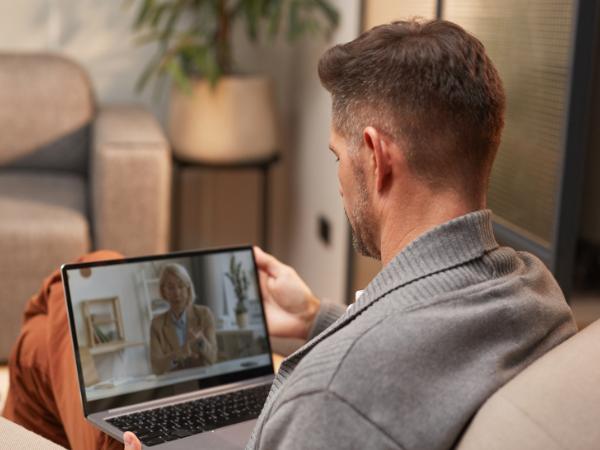
Using a compatible browser for telehealth or a telehealth app ensures your device runs smoothly during sessions, keeping video and audio stable and minimizing technical interruptions. Using current versions of major browsers like Chrome, Edge, or Safari avoids compatibility issues. Keeping your browser up to date ensures that features like video, audio, and chat work correctly.
Pop-up blockers, browser extensions, or incorrect permission settings interfere with video and audio during telebehavioral health sessions. Make sure your browser allows access to your camera and microphone, and temporarily disable any software that might block pop-ups or features required by the platform. Following these steps ensures your connection to a secure video platform for therapy remains reliable and uninterrupted.
Privacy Settings and Browser Permissions for Virtual Therapy
Privacy Settings and Browser Permissions for Virtual Therapy
Privacy settings and browser permissions play a key role in ensuring the security of virtual therapy sessions. Grant your telehealth app access to your camera and microphone to ensure your audio and video work properly. Avoid public Wi‑Fi networks, which can compromise your personal information, and make sure all software and browsers are up to date.
If you’re using a shared device, always log out of accounts and close browser windows when your session ends. Adjusting your notification settings prevents accidental exposure of sensitive information during calls. Taking these steps protects your data, preserves confidentiality, and keeps your virtual therapy environment safe and uninterrupted throughout every e-counseling appointment.
Private Space for Online Therapy and Family Household Planning
Creating a private space for online therapy is essential for maintaining confidentiality and staying focused during sessions. Setting up an area that minimizes distractions and protects your conversations ensures each appointment is productive. Planning with your household allows everyone to respect boundaries and supports a consistent, secure environment for virtual therapy.
- Use White Noise or Ambient Sounds: Playing a fan, white noise machine, or soft background sounds masks conversations and reduces distractions for others in the household.
- Headphones for Privacy: Wearing headphones for online therapy sessions ensures that only you hear your provider and keeps sensitive information confidential.
- Coordinate Schedules: Plan online mental wellness sessions around family routines to minimize interruptions and guarantee a quiet space.
- Car Sessions as a Last Resort: If no indoor private space is available, sitting in a parked car may work, but always prioritize safety by keeping the engine off and staying in a secure location.
Telehealth Privacy Tips and Basic HIPAA Technology Expectations
During telehealth sessions, keeping your environment and devices secure protects your conversations and personal information. Using a HIPAA-compliant telehealth platform, meeting basic telehealth consent expectations, and creating a private space all contribute to secure, uninterrupted digital mental health services. Simple precautions prevent accidental exposure and make therapy more effective.
Lock your device when you’re not using it and enable multifactor authentication, if offered, to add security. Avoid recording sessions to protect your sensitive information, even on personal devices. Keep your telehealth app updated and only use secure, private networks. Following these practical telehealth privacy tips ensures you meet HIPAA-compliant telehealth platform requirements and keeps your information safe.

How to Prepare for a Teletherapy Session With a Quick Pre-Session Routine
Preparing for internet therapy sessions with a quick pre-appointment routine ensures your time is focused and productive. Taking small steps before your appointment makes sessions more effective and stress-free. Ensuring your connection meets telehealth bandwidth requirements allows video and audio to run smoothly.
Join the session a few minutes early to test your audio and video, and keep your device charged or plugged in. Close unnecessary apps to reduce distractions and have any notes or materials ready. For group sessions, display your name clearly, maintain a respectful environment, and minimize background noise or interruptions.
Determine Whether Your Insurance Plan Provides Online Addiction and Mental Health Treatment Coverage
Telehealth Troubleshooting Audio and Video Issues During Sessions
Audio and video issues may disrupt telehealth sessions, but a simple troubleshooting routine keeps appointments on track. Following clear steps ensures you stay connected and maintain communication with your provider, reducing frustration and interruptions. Addressing problems quickly lets you focus on the session rather than technical difficulties. To begin troubleshooting:
- Refresh your browser or telehealth app and rejoin the session if video or audio lags.
- Switch to another device or connect to a different network to resolve persistent issues.
- Confirm that your camera and microphone permissions are enabled in your browser or app settings.
Have a backup plan in case problems continue. Keep a phone nearby to join by call, message your facilitator if needed, and know the rescheduling protocol to ensure you don’t miss an appointment.

Accessibility Features for Virtual Group Therapy Technology
Accessibility features make virtual group therapy more inclusive and easier to participate in. Closed captions improve telehealth accessibility, allowing you to follow along with spoken dialogue in real time. Assistive devices and screen readers help you navigate the platform and access materials if you are visually impaired, ensuring online psychiatric help remains effective and accessible.
If family members or caregivers are involved, invite them to request accommodations in advance to ensure the session setup meets your needs. Taking these steps maximizes participation and keeps internet therapy sessions productive and supportive for all participants.
FAQ About Technology Requirements for Online Therapy
FAQ About Technology Requirements for Online Therapy
Ensuring your devices, internet connection, and environment meet technology requirements for telehealth video visits makes your sessions smoother and more productive. Being prepared reduces interruptions, keeps your sessions private, and allows you to focus entirely on treatment. The following FAQs cover common questions about telemental health solutions so you can join your sessions confidently.
- What is the minimum internet speed for online therapy? A stable connection of at least 2 to 5 Mbps for 1-on-1 sessions and 5 to 10 Mbps for group sessions ensures clear video and audio.
- Can I use a phone instead of a laptop? Phones and tablets work, but laptops or desktop computers have larger screens and more stable performance.
- What if I share a device with my family? Create a separate user profile and log out after virtual counseling sessions to maintain privacy.
- How do I keep sessions private? Use headphones for online therapy sessions, sit in a quiet space, and close unnecessary apps or browser windows.
- What do I do if telehealth disconnects? Rejoin the session, switch devices or networks, and check camera and microphone permissions.
- Are there backups if my video won’t work? Ask your provider about phone call options or rescheduling procedures.
- Do I need to update my apps or browsers? Yes, keeping your software up to date prevents compatibility issues and supports smoother sessions.
For additional guidance or troubleshooting, call (615) 234-9059 to speak with Freeman Recovery Online.
Freeman Recovery Online Program Requirements and Technology Support in Tennessee
Freeman Recovery Online in Tennessee provides virtual mental health treatment, including options like Intensive Outpatient Programs (IOPs), that relies on basic tech requirements for a smooth experience. Following the tech requirements for online outpatient programs ensures your sessions run without interruptions. We can guide you in setting up devices, connections, and privacy measures to support participation.
Freeman Recovery Center offers in-person services at 250 State St., Dickson, TN 37055. Our staff is available to answer questions about devices, internet, or software, ensuring you meet the technology requirements for a virtual IOP or other program. If you need assistance or guidance before your internet-based sessions begin, call (615) 234-9059 or contact us online.
Virtual Rehab Resource Links for Online Addiction Care
Virtual Rehab Resource Links for Online Addiction Care
These telehealth rehab articles help you understand online treatment, compare it with other options, and plan next steps with privacy, flexibility, and accountability in mind.
- Am I a Good Candidate for Online Rehab?
- How Virtual Rehab Programs Typically Work
- Online Rehab Effectiveness: What to Know
- Online vs In-Person Rehab: Comparing Support
- Virtual Treatment vs Residential Rehab Care
- Online Rehab vs Outpatient Therapy: Pros and Cons
- Online Rehab vs IOP Treatment Programs
- Sober Living vs Online Rehab: What’s the Difference?
- Middle Tennessee Recovery: Online Rehab or Sober Living
- Online Rehab as Aftercare After Residential
- Signs You May Need In-Person Treatment
- If Online Rehab Is Not Working: Next Steps
- Who Online Rehab May Not Work For
- Treatment vs No Treatment: Online Rehab Comparison
- Forced Rehab: What Families Should Understand
- Using FMLA for Rehab or Treatment Leave
- Telehealth Rehab Technology Requirements
- Protecting Privacy in Online Rehab (HIPAA)
Statistics and Resources on Technology Requirements for Virtual Mental Health Treatment in Tennessee
Statistics and Resources on Technology Requirements for Virtual Mental Health Treatment in Tennessee
- According to the Tennessee Department of Health, 18% of adults in Tennessee reported frequent mental distress in 2021.
- A study in BMC Health Services Research found that patients in rural western Tennessee zip codes with 80% to 100% broadband access were more than twice as likely to rely exclusively on telemedicine visits in the year after March 13, 2020, compared with those in areas showing 0% to 20% access, underscoring the role of broadband availability in telehealth use.
- According to the TDMHSAS, most telehealth programs rely on systems that transmit data at speeds of at least 384 Kbps.
- About 500,000 Tennesseans, primarily in rural communities, do not have broadband access, and estimates suggest that 61 of the state’s 95 counties require broadband infrastructure improvements to deliver speeds adequate for telehealth services, according to the Substance Misuse and Addiction Resource for Tennessee Policy Network. However, efforts are being made to expand access.
- A report from The Tennessean noted that telehealth use has leveled off at 38 times pre-pandemic levels, with as many as 50% of psychology claims delivered through telehealth.